Case Study: TJX PO Manager

TJX came to us with a request to streamline and simplify their product ordering system. In it’s original iteration, the entire process lived on multiple applications, required switching between multiple tabs to complete tasks, and uploading data from outside spreadsheets.
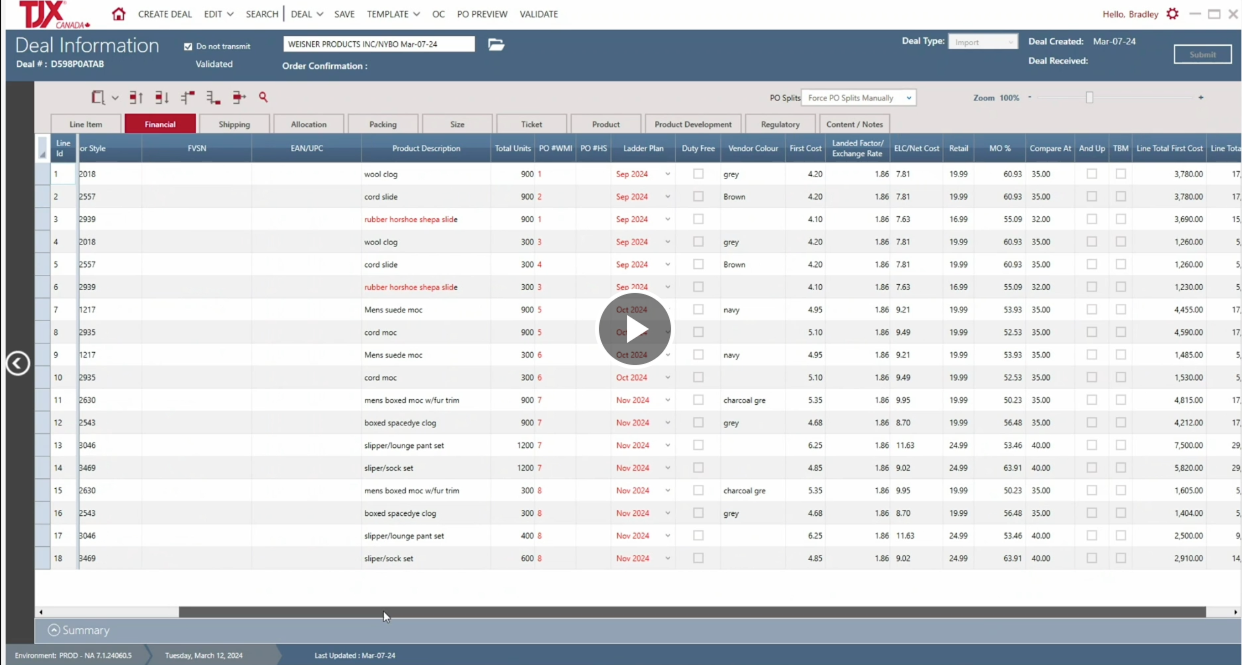
Screenshot of a deal information screen from TXJ Canada, showing a table of product details including line item, style, description, total units, product development date, vendor color, cost, and other specifications for various clothing products.
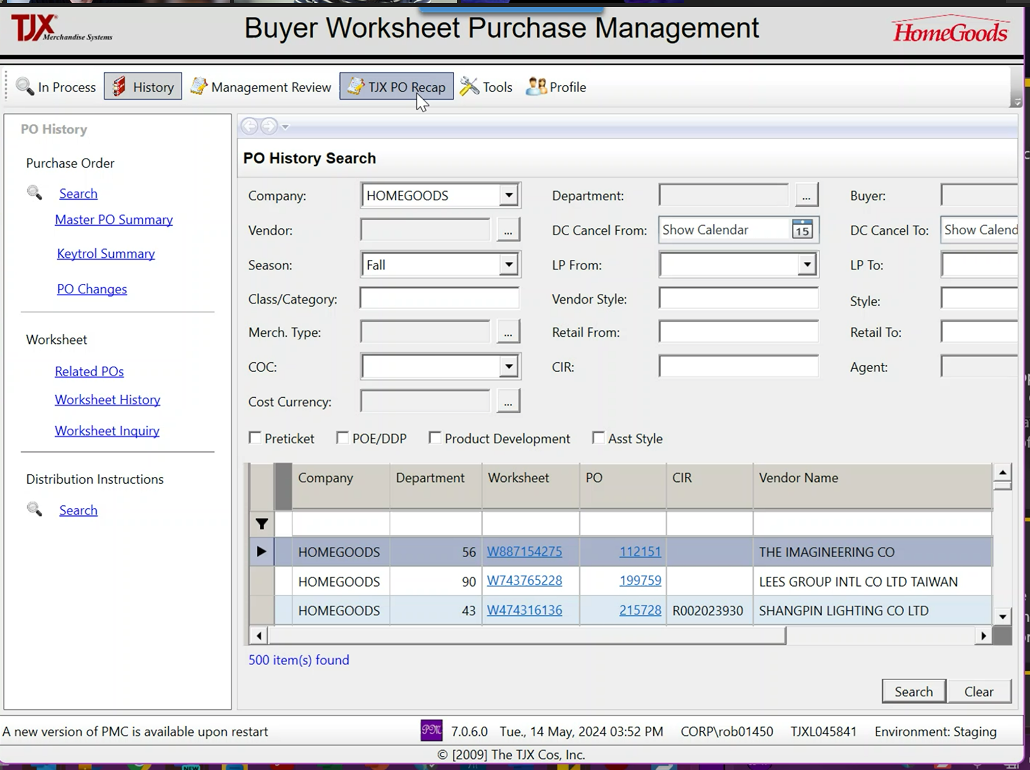
Screenshot of a Buyer Worksheet Purchase Management system showing PO history for the company HomeGoods. It displays a search for purchase orders, with details like company, vendor, season, class, merchandise type, cost currency, and a list of purchase orders with their IDs, CIR, and vendor name.
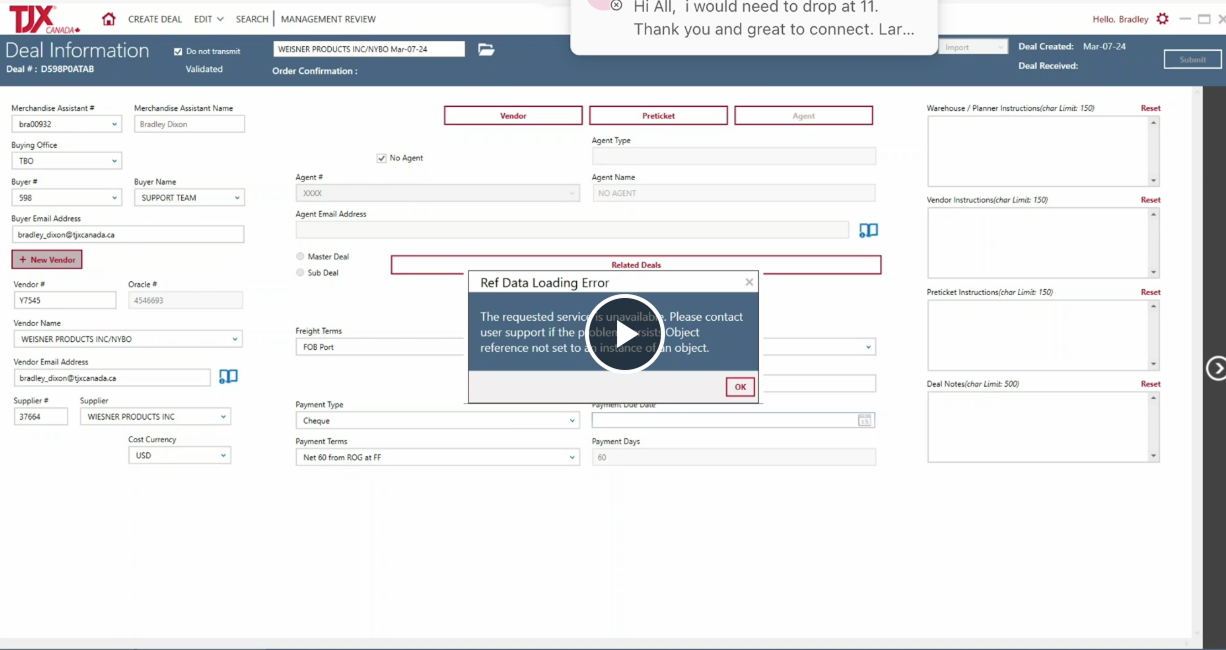
A computer screen showing a deal information form for a transaction with fields for vendor, buyer, agent, and other details, along with an error message pop-up stating 'Ref Data Loading Error' and instructions to contact user support.

Research

During the research and discovery phase, we identified many potential quality of life improvements. The technical and time limitations of the project however, meant we needed to scale down and focus on what could improve the user experience with a focus on UI improvement and restructuring of information architecture, and find-ability.
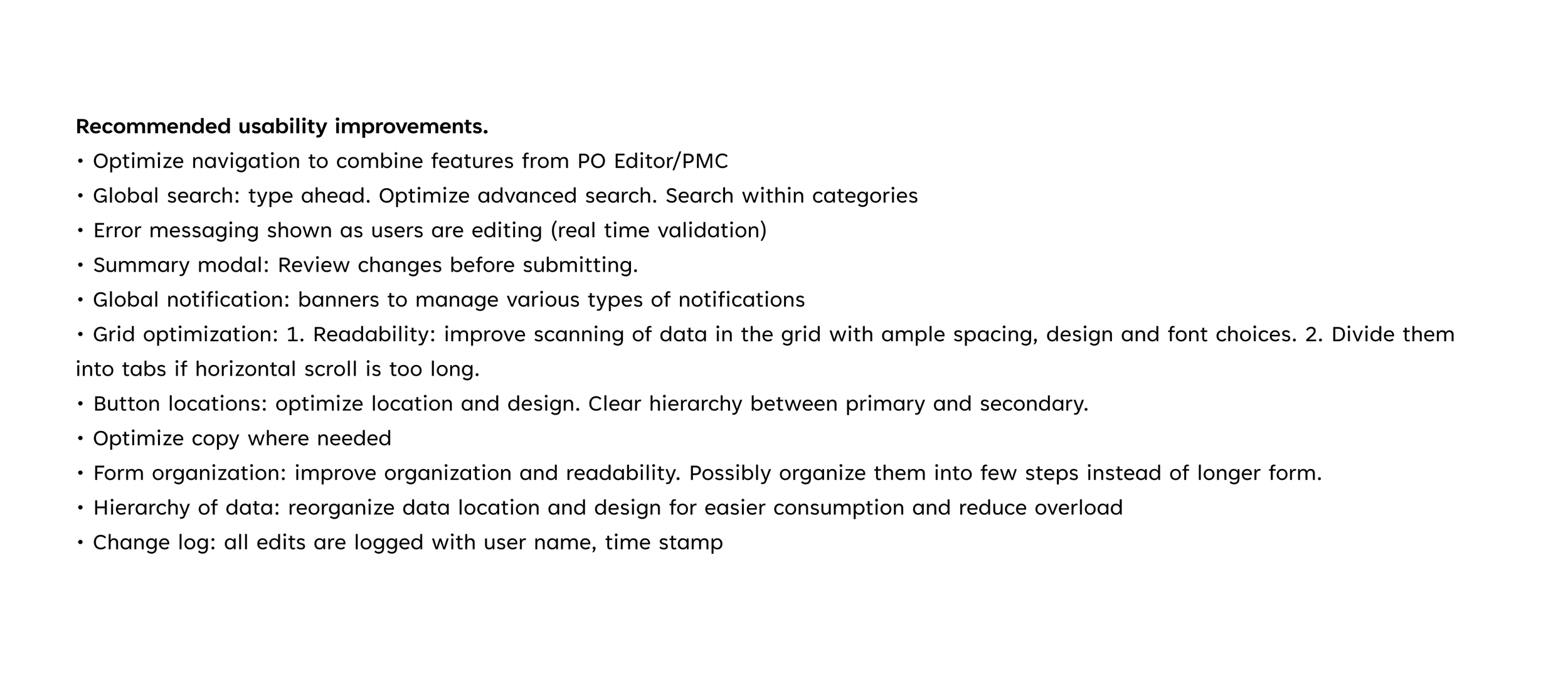
A document titled 'Recommended usability improvements' listing various suggestions such as optimizing navigation, global search, error messaging, review modal, notifications, grid optimization, button locations, copy, form organization, data hierarchy, and change log.
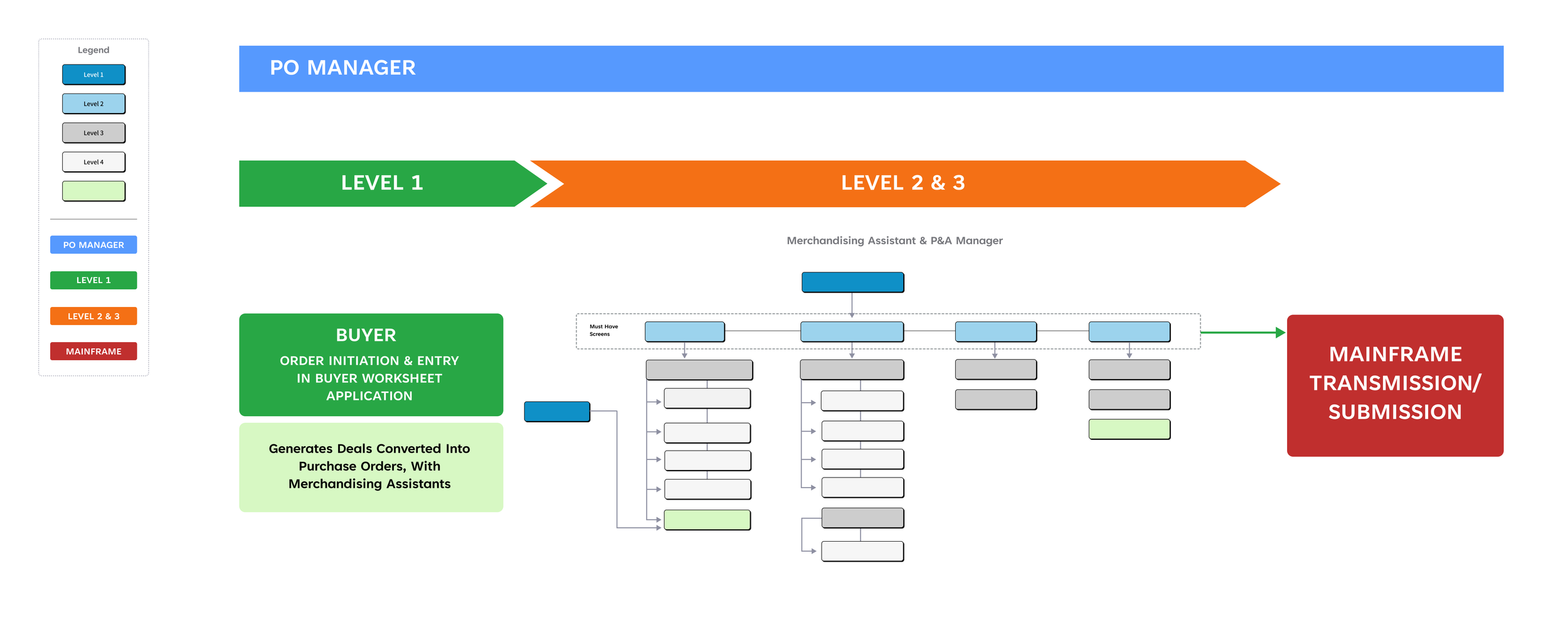
Flowchart showing purchase order process with color-coded steps: blue for PO manager, green for level 1, orange for levels 2 and 3, and red for mainframe transmission/submission. Includes boxes for buyer actions, screens, and approval steps.

PO Search

The prime candidate for far reaching experience improvement was the search function: Serving as a universal tool for the whole system, every user interacted with it at one point or another. The requirements for the search function were that it remain visible while users interacted with and edited data fields, that it was accessible from any page, it be less tedious to apply filters and search for specific criteria.
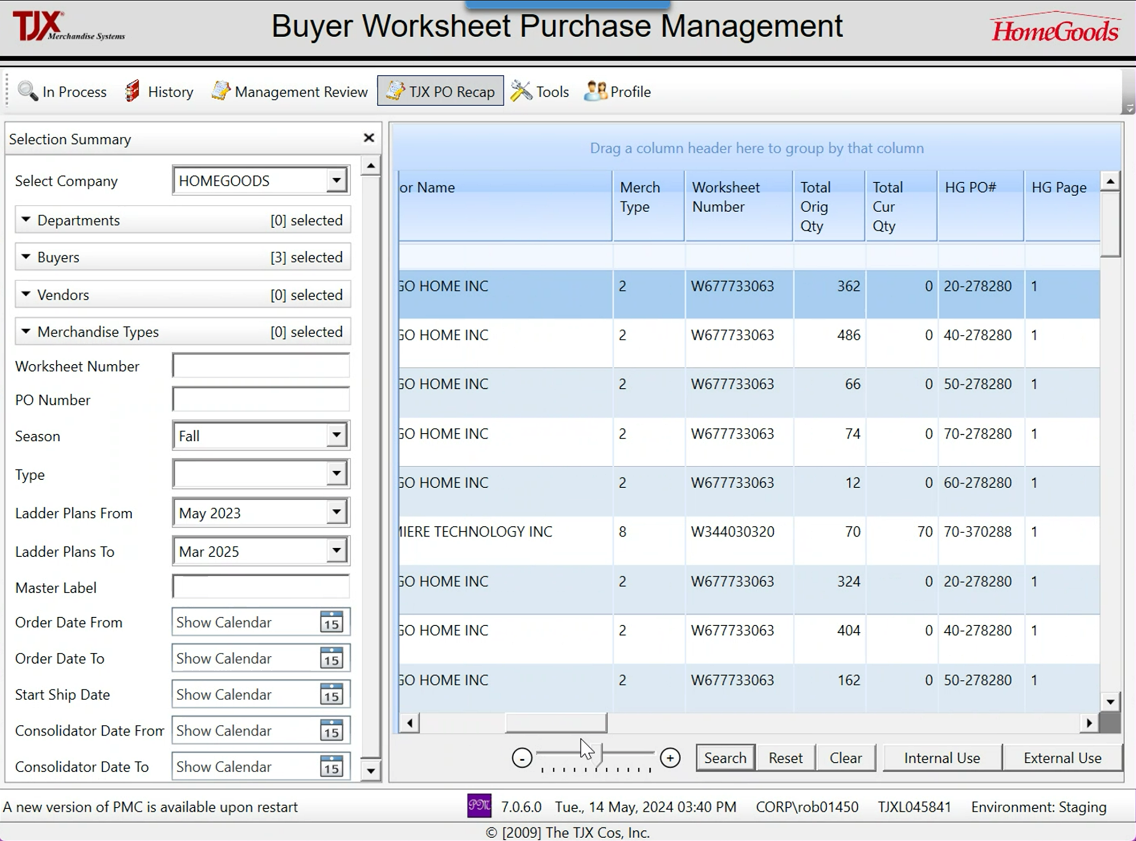
Screenshot of a computer screen displaying a Buyer Worksheet Purchase Management interface from TJX Merchandising Systems for the HomeGoods company, showing a table of purchase order data, filters, and navigation options.

Evolution of Visual Design

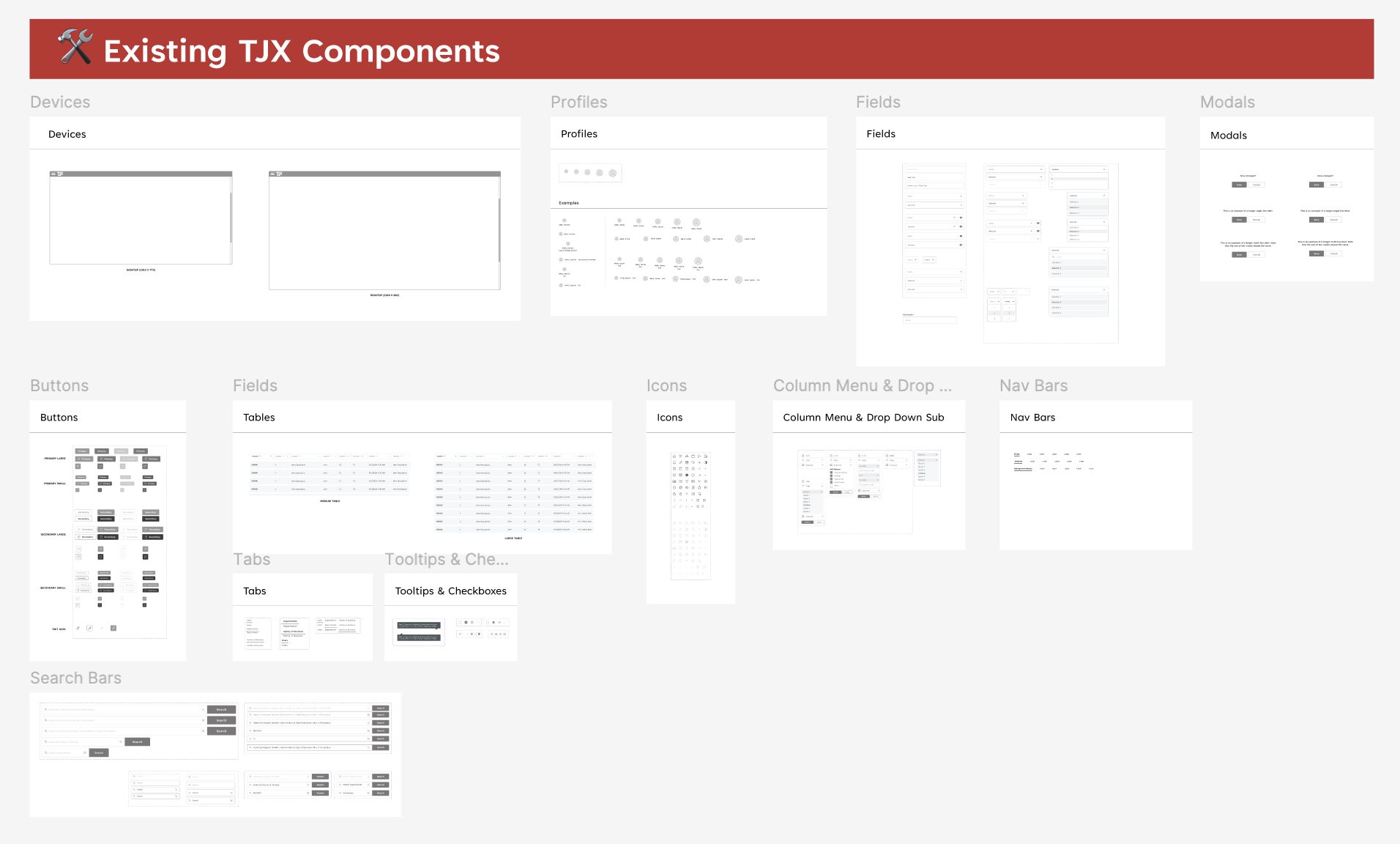
Screenshot of a webpage titled 'Existing TJX Components' displaying various categories of user interface components such as Devices, Profiles, Fields, Buttons, Icons, Modal, Tables, Tabs, Tooltip & Checkboxes, Column Menu & Drop Down, and Nav Bars.
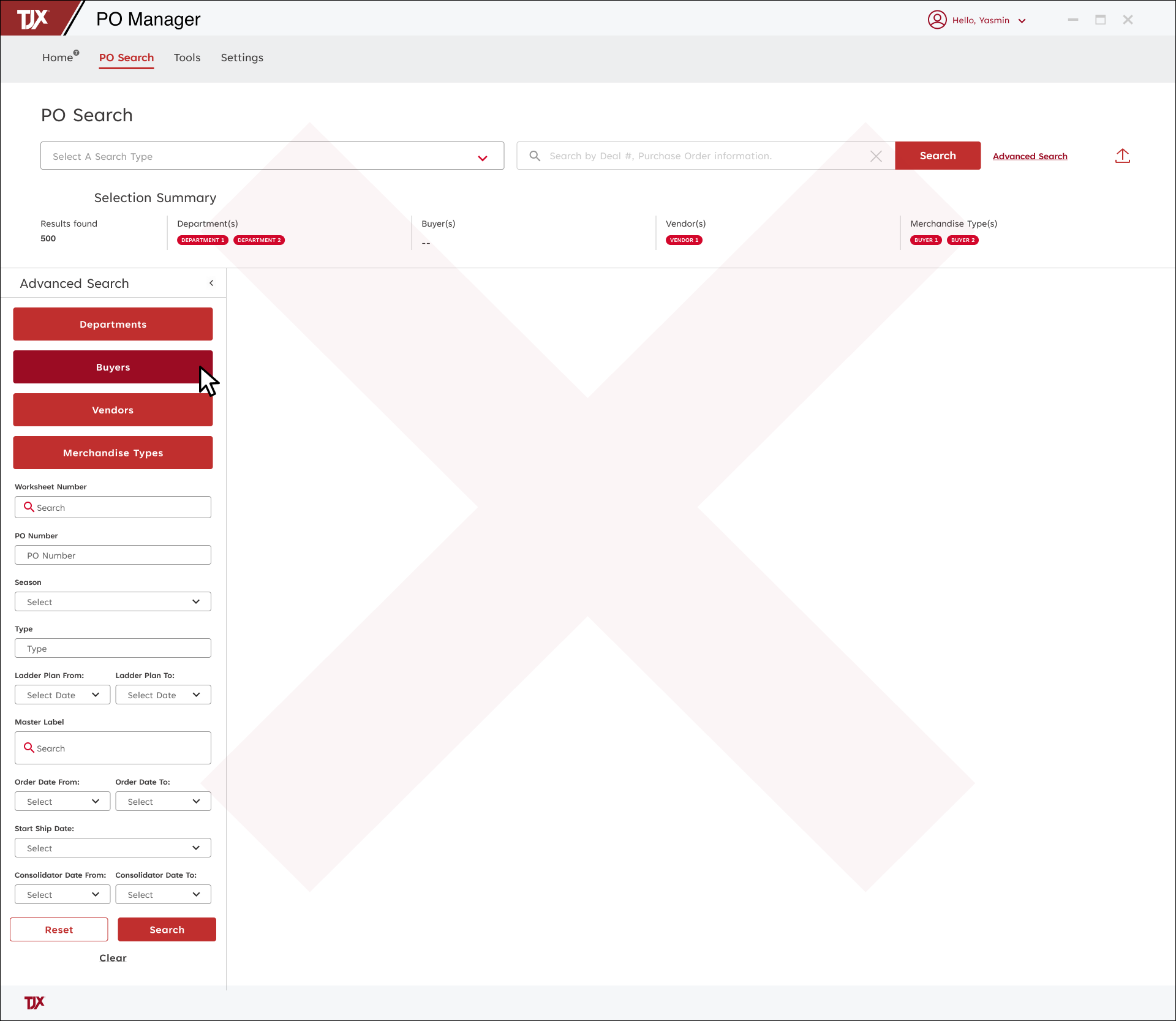
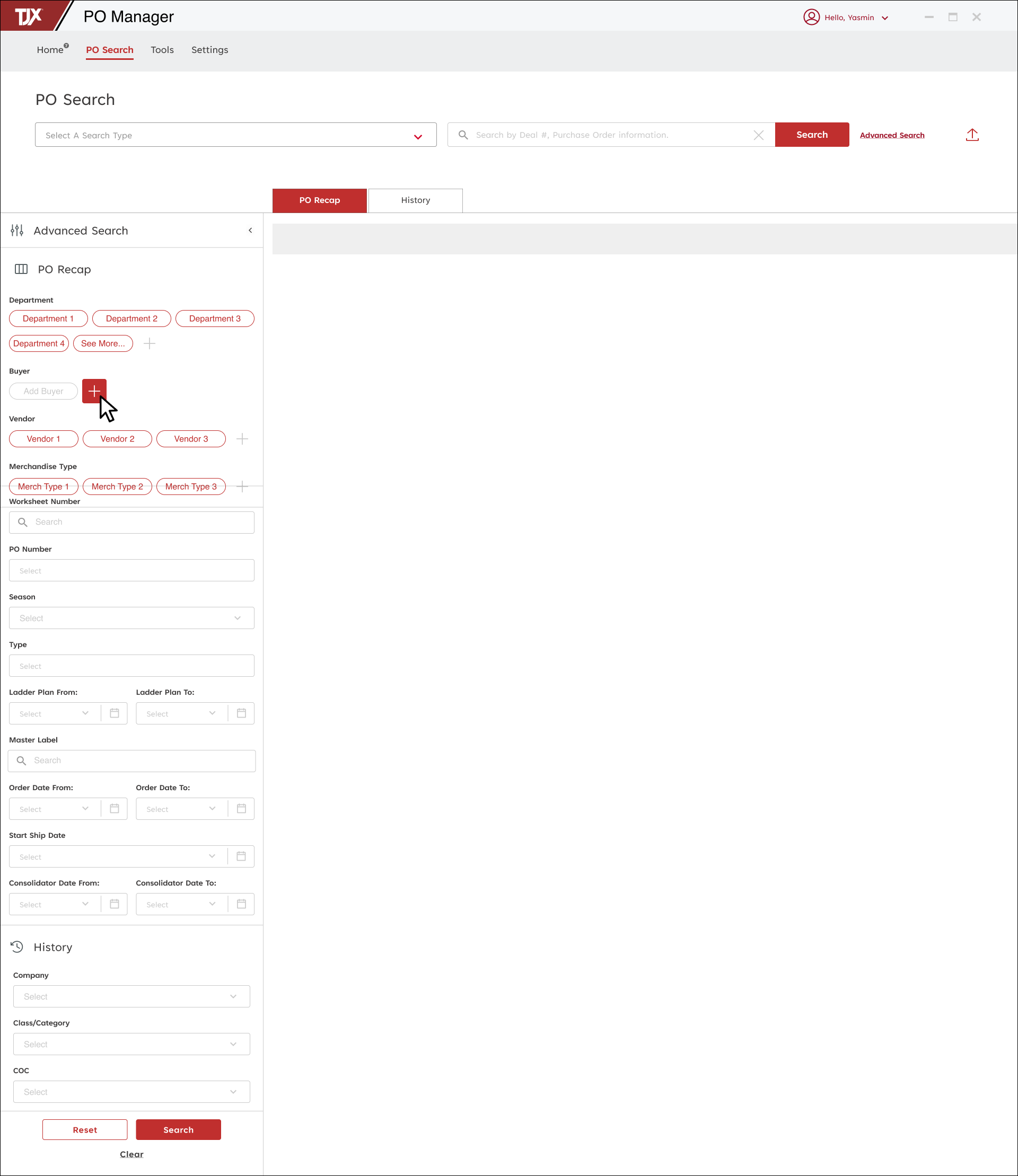
Screenshot of a PO Manager software interface with a search function for purchase orders and options for advanced search criteria, including departments, buyers, vendors, and merchandise types, on a computer screen.

PO Search, Clickable Prototype

The prime candidate for far reaching experience improvement was the search function: Serving as a universal tool for the whole system, every user interacted with it at one point or another. The requirements for the search function were that it remain visible while users interacted with and edited data fields, that it was accessible from any page, it be less tedious to apply filters and search for specific criteria.
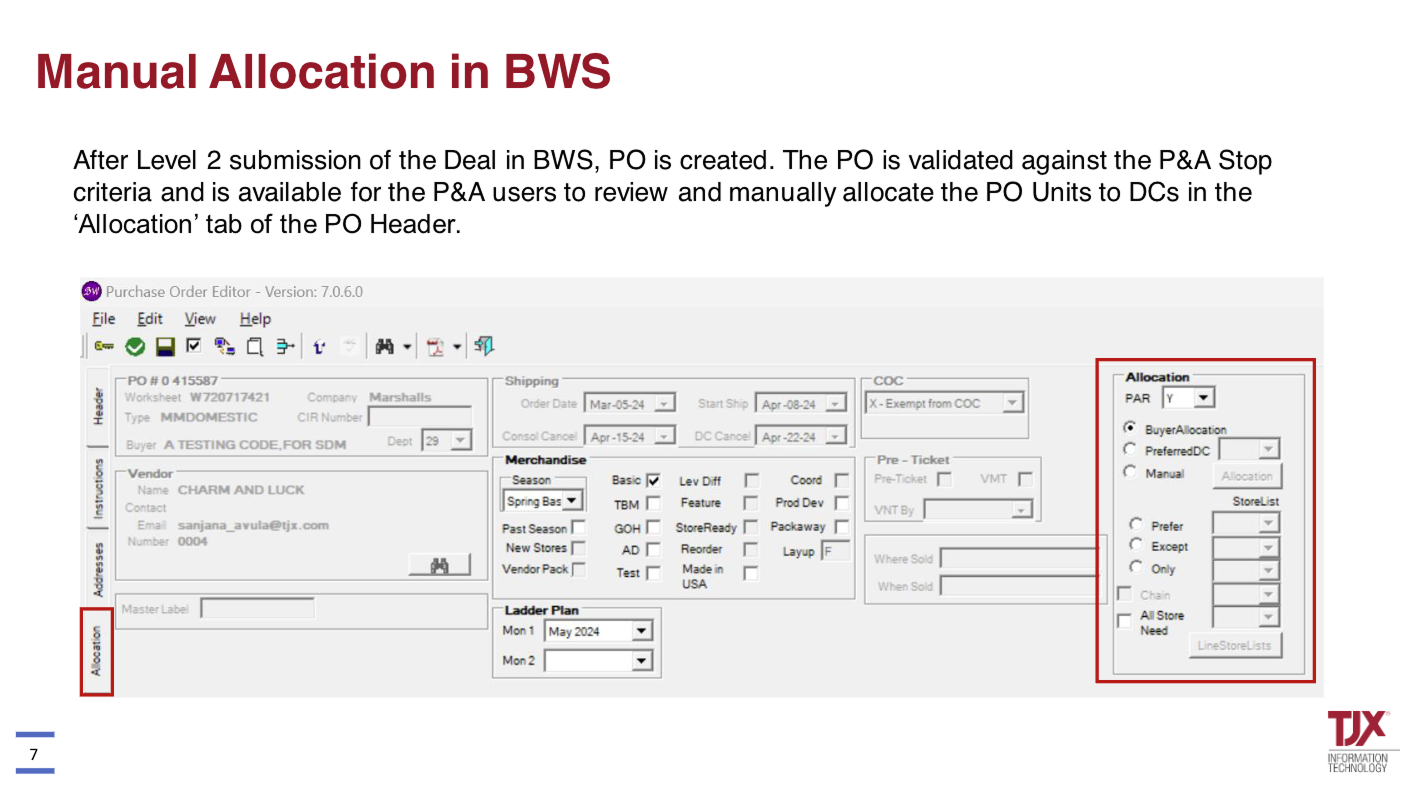
Screenshot of a purchase order editing software with manual allocation options highlighted on the right, including flags for buyer allocation, preferred DC, and manual allocation choices.
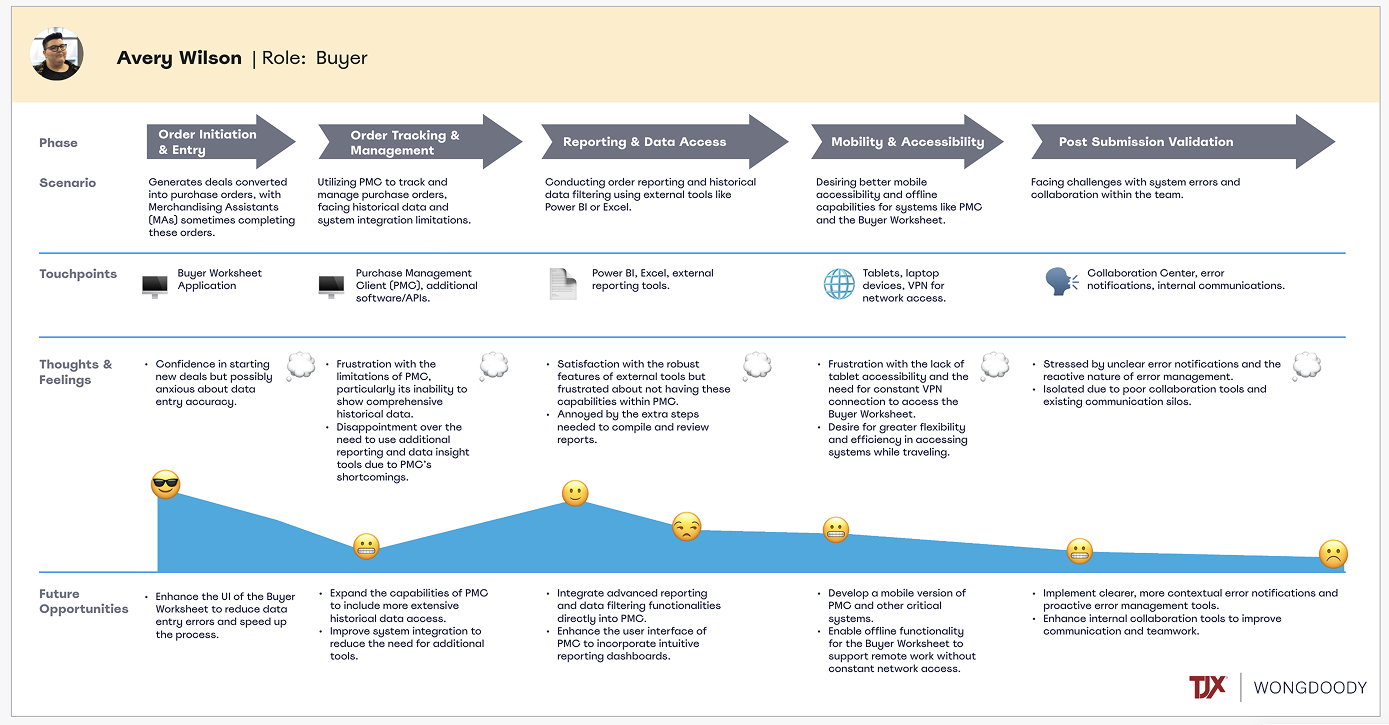
A detailed project roadmap flowchart outlining phases, scenarios, touchpoints, thoughts, feelings, and future opportunities related to order management and data access in a business environment.
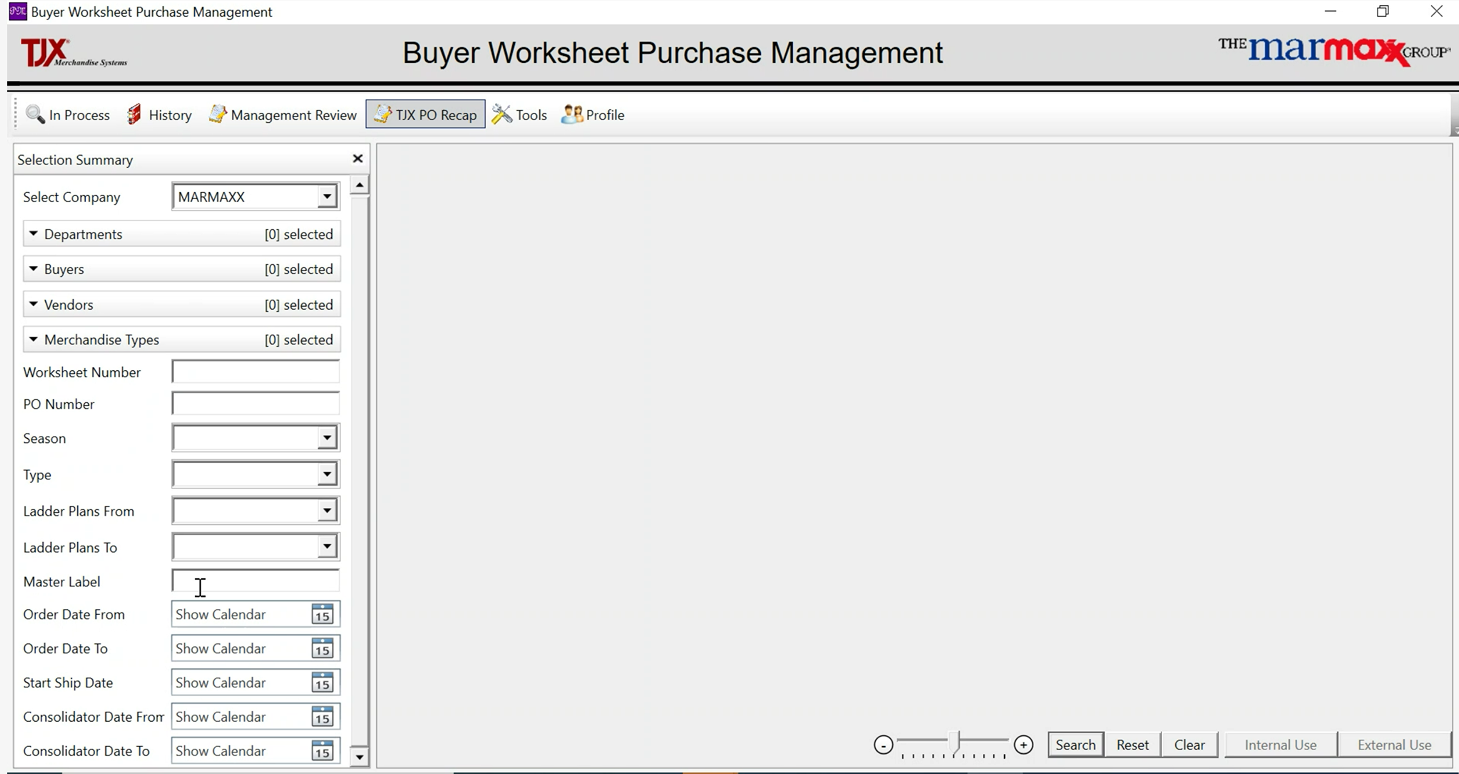
Screenshot of a computer application called Buyer Worksheet Purchase Management, with options to select company, department, buyers, vendors, merchandise types, and enter worksheet details, dates, and labels.
Screenshot of a PO Manager software interface with options for searching purchase orders, including fields for department, vendor, merchandise type, worksheet number, PO number, season, type, ladder plan, master label, order date, start ship date, and consolidator date. The left sidebar contains advanced search filters and a history section, with a red 'Search' button at the bottom.